
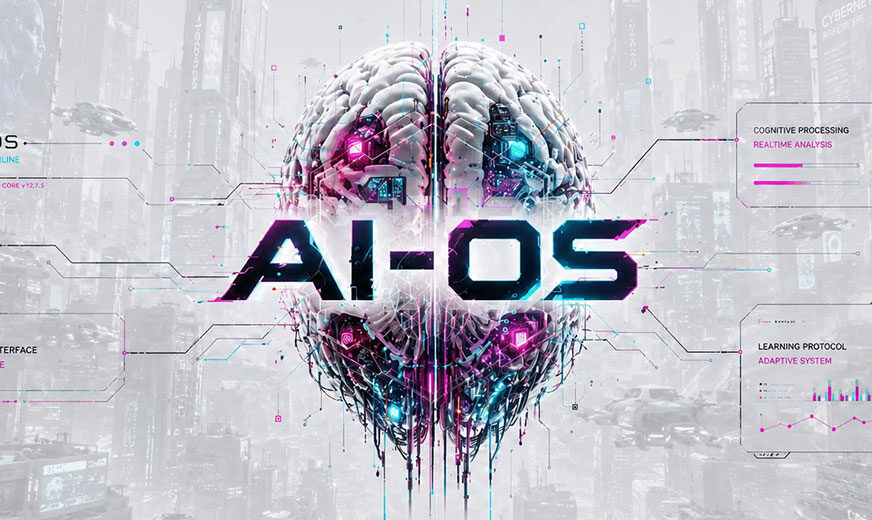
The aging MakuluLinux LinDoz distro has evolved into AI-OS, which its developer calls a first-of-its-kind intelligent Linux desktop.
MakuluLinux developer Jacque Montague Raymer released the innovative AI-OS on July 29, built around a highly configurable Cinnamon desktop and a Linux Mint Debian (LMDE) variant base. This new distro provides an embedded artificial intelligence (AI) environment that can perform a wide range of tasks by typing a plain-language request into the floating widget on the desktop.
I have followed the Linux project’s lineage since Raymer first launched MakuluLinux in 2020. Having tested various developmental beta builds over the last month, I am impressed with the AI integration and have replaced my daily Ubuntu and Linux Mint drivers on my two laptops. I am also running it as a virtual machine appliance on my desktop computers.
Raymer started working on his Electra AI Center concept three years ago. Early renditions were available in LinDoz and a few other now-discontinued distributions.
“It’s been a dream of mine to make a Jarvis-type of Linux, where the user talks to an AI Center interface which can pretty much do anything the user asks of it: run commands, web search, install, remove stuff, diagnose anything, repair anything, code, generate text, images, video and audio,” he told LinuxInsider.
What Makes AI-OS Different
Raymer noted that other OS developers have a common development plan in plugging AI into their OSes. They find an AI provider, sign a deal, put a logo on a chat window, and bolt it on. That approach is actually just a shortcut or link to other infrastructure, pricing, and decisions about what users can do.
“That is not integration. That is borrowing. When you borrow the foundation of something as fundamental as AI, you don’t own the product. You own a wrapper,” he argued.
Raymer’s approach in AI-OS is not a fork or a plugin. His team built AI-OS from scratch, wrote the code, stood up the servers, and optimized every layer of the stack.

The Quick AI Actions panel provides one-click access to system maintenance and AI-powered troubleshooting tools.
AI-OS is unlike anything I have seen in any other computing platform. Sure, I have AI-powered apps on my Android phone, and I use a collection of AI services via web browsers. The Electra AI bar is part of this operating system. It provides direct interaction with the operating system.
No Hallucinations or Rogue Connections
Raymer instilled his primary unbreakable rule that the AI will always put security at the front of whatever task it carries out. I saw that happen firsthand.
During the installation and setup process, I directed Electra AI to resolve a few configuration issues. For instance, I could not enable the firewall setting and the hot corners feature, plus a few other non-responsive system settings.

Electra AI displays each step of its repair process and confirms when the task is complete.
Electra referred to several safety considerations and dangerous workarounds as it mapped out a corrective path and asked for permission to proceed. I could read every step of the plan in the AI terminal window.
I have used AI help via Gemini, ChatGPT, and other services to solve hardware and software issues with other Ubuntu and Linux Mint installations. Since those AI services had no direct access to my computers, I constantly had to upload screenshots or provide other information about system settings.
The responses from these exchanges listed steps for me to apply manually. The process felt detached. Often the AI-suggested solutions failed to solve the problems.
Electra integrated into AI-OS performed differently. Electra did not have to wait for me to upload reports. It interacted with the system in which it is embedded to fix the problem. The terminal windows laid bare every step of the process.

Electra AI combines a conversational interface with direct access to the operating system and Linux terminal.
“So it really is a Jarvis-type system. It can fix itself. This may be a first in the AI world,” said Raymer when I relayed my experiences with using Electra on AI-OS.
Beyond Basic AI
The built-in Electra AI does much more than self-repair the OS. It provides a productive set of services.
The finance bot may well be the star of the show. It’s an AI agent built into Electra AI Center tasked with generating money. The developer expects this feature to be the primary user draw because it can generate cash flow.
It uses 28 different revenue streams, including affiliate marketing, where it posts affiliate links to Amazon products. When users click them and purchase something from Amazon, they get a cut.
Another revenue stream is a WordPress blog site the bot creates, posting articles weekly and promoting the site to grow the membership. The site could generate money from ads, links, affiliate marketing, freelance promotions, etc.
Yet another revenue stream is printables. The AI creates logos and cool artwork to promote as t-shirt designs, mugs, etc. An additional revenue stream flips domain names.

Built-In AI Companion
A whimsical bot feature is the floating virtual pet. For me, the novelty wore off quickly, so I turned it off when I had serious work to do.
A selected pet icon — so far there are seven — floats around the screen when not covered by windows. With a mouse click, you can converse with it, pet it, even feed it digital treats. Click the floating icon to send a message to the main Electra AI subsystem.
“It is wild how much this AI Center can do, and much of it is already pre-made, pre-installed, and pre-configured, with minimal setup from the user required,” Raymer boasted.
Inside the AI Center
According to Raymer, the AI integration is monitored with a Heartbeat agent that keeps an eye on everything the AI does — tasks, revenue generation, whatever. AI-OS also uses Mempalace, a vector-based memory system that stores long-term memory for the AI.
AI-OS has a wide-ranging plugin system to add customized features. The Core is closed, but the design allows plugins. Raymer wrote an extensive user guide and provides a GitHub where users can get involved and even share plugins.
He noted that the AI can code its own plugins. Users can type /plugin, provide specifications, and the AI generates the plugin.

Electra AI plans, executes, and self-corrects Linux commands directly from its integrated terminal.
Also included are more than 20 services, such as Google, Reddit, Discord, Homesystems, and Telegram, that can connect to the AI Center. For example, users can connect to Telegram and control their PC from their mobile phone.
Full AI Access at a Bargain Price
From within the OS, you can register for a free or paid membership account to access news and other information about AI-OS. The Patreon site is a center of information from the developer. If you enroll and do not opt out, you get a news update emailed almost daily to keep you updated.
Users get 20 free Electra AI requests before the OS prompts them to enroll in a free or paid subscription plan:
Plan (Monthly) Daily Electra AI Requests Free 50 $5 500 $10 1,500 $20 4,000 $40 10,000 $100 99,999
Raymer explained that the pricing is intended only to cover AI usage costs. “We don’t pocket anything. We aren’t interested in making a profit. I don’t do this to get rich. This project has never been about money,” he said.
Anyone who does not want to pay a monthly subscription can still access and use the AI. An offline model is included in the ISO, which explains its relatively large 5.09 GB size. Users can alternatively use the offline AI if their hardware can handle it.
Subscribers have access to over 80 high-quality models from DeepSeek, GPT, Gemini, Kimi, Qwen, Nemotron, Llama, and more, capable of handling any complex projects.
Bottom Line
Anyone familiar with the Cinnamon desktop will find using AI-OS — with or without its AI functionality — a pleasant and productive experience. Cinnamon is a very stable Linux environment that offers more user configurability than any other desktop. In my experience, it even surpasses Gnome.
Depending on your choice of web browser, you can still bring along whatever external AI services you currently use.
Interested in trying AI-OS? Download the latest release.
Update — Aug. 6, 2026: The developer just uploaded an upgraded ISO. If you install the new ISO, you will have fewer initial updates for the system to download and install.
Images courtesy of MakuluLinux
Suggest a Review
Is there a Linux software application or distro you’d like to suggest for review? Something you love or would like to get to know?
Email your ideas to me, and I’ll consider them for a future column.
And use the Reader Comments feature below to provide your input!